Quick guide to Microsoft Excel 2016
Table of contents
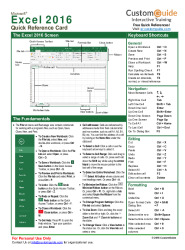
- The Excel 2016 screen
- The fundamentals
- Editing
- Formatting
- Keyboard shortcuts
- Formulas and Functions
- To total a cell range
- To enter a formula
- To insert a function
- To reference a cell in a function
- To use several operators or cell ranges
- Workbook management
- To insert a new worksheet
- To delete a worksheet
- To spleet a window
- To freeze panes
- To select a print area
- To adjust page margins, orientation, size, and breaks
- Charts
- To create a chart
- To insert a sparkline
| Size | 988.51 Kb |
|---|---|
| File type | |
| Downloads | 1573 |
| Created | 2017-09-24 |
Others Excel 2016 tutorials
Others related eBooks about Quick guide to Microsoft Excel 2016
-
Microsoft Word 2013
Download courses Microsoft Word 2013 in PDF ,a free training document under 15 pages for beginners....
-
Microsoft Excel 2007 : Essential Guide
The purpose of this course is to provide a basic guide for student who wants to be familar with the basics of Microsoft Excel 2007....
-
Excel 2016 PivotTables and PivotCharts
Learn how to use PivotTable and PivotCharts in Microsoft Excel 2016, free training document for download....
-
Download Publisher 2016 PDF tutorial
Download Publisher 2016 PDF tutorial by techtutor under 10 pages intended to beginners....
-
VBA Tutorials for professionals
Download free VBA tutorial course in PDF, training file in 46 chapters and 202 pages. Free unaffiliated ebook created from Stack OverFlow contributor....
-
Introduction to VBA in Excel - PDF Tutorial
This is a tutorial showing how to use the macro facility in Microsoft Office—Visual Basic for Applications—to simplify analytical tasks in Excel....
-
Evaluating Information Retrieval and Access Tasks
Download free course Evaluating Information Retrieval and Access Tasks, pdf file on 225 pages by Tetsuya Sakai, Douglas W. Oard, Noriko Kando....
-
Introduction to Microsoft Publisher
Download Introduction to Microsoft Publisher in PDF, free training document about how to create a perform basic tasks and creating business and greeting card....
-
Microsoft Excel 2016 Course for Beginners
Looking for Excel 2016 tutorials? this page is a free training document of Excel 2016 courses, in pdf....
-
Formulas & Functions in Microsoft Excel
Download Formulas and Functions in Excel PDF tutorial, free training document by Theresa Scott....